How to Buy Safely on AliExpress: A Practical Checklist
This page contains affiliate links. We may earn a commission at no extra cost to you.
On this page
- Step 1: Check the seller, not just the product
- Step 2: Read the whole listing, including the variants
- Step 3: Pay inside the platform, with a protected method
- Step 4: Understand the buyer protection timer
- Step 5: Set realistic expectations for shipping
- Step 6: Open a dispute the right way
- Quick checklist before you pay
AliExpress can be a great place to find useful gadgets, hobby parts and everyday items at low prices. It is also a huge marketplace made up of thousands of independent sellers, and the quality of those sellers varies a lot. The good news is that most problems are avoidable if you know what to check before you pay and what to do if something goes wrong afterwards.
This guide walks through the whole process: choosing a seller, reading a listing properly, paying safely, waiting for delivery and opening a dispute if you need one.
Step 1: Check the seller, not just the product
Every listing belongs to a store. Before you look at photos or prices, tap through to the store page and look at a few things.
- Store age. A store that has been open for several years has a track record. A brand-new store is not automatically bad, but it has had less time to prove itself.
- Positive feedback percentage and volume. A high percentage based on thousands of orders means more than a perfect score based on a handful.
- Detailed ratings. Look for separate scores such as "item as described", communication and shipping speed. A low "as described" score is the biggest warning sign.
- Official or brand stores. Some brands run their own official store on the platform. If you want a branded item, buying from that store reduces the risk of a copy.
Spend a minute on the store's recent negative feedback, too. One-off delivery complaints are normal for international shipping. Repeated reports of the wrong item, missing parts or fake goods are not.
Step 2: Read the whole listing, including the variants
The most common AliExpress disappointment is not fraud. It is buying a different version of the product than you thought. Listings often bundle several options under one page, and the headline price usually belongs to the cheapest option.
- Read the full title, slowly. Titles are stuffed with keywords. Words like "case", "shell", "board only", "accessory" or "screen" can mean you are buying a part rather than the complete product.
- Click every variant. Colors, sizes, "with battery" and "without battery", or "kit" versus "module" options can change both the price and what arrives.
- Read the description and specification table. Check what is in the box, the plug type for your country, the voltage and the dimensions in real units.
- Look at buyer photos. Photos from real customers show what actually arrived, often more honestly than the main images.
If the price looks far lower than the same product elsewhere, assume you have misunderstood the listing until you have proven otherwise. Usually the cheap version is a part, an accessory or a different model.
There is a good real example below: a listing that names a complete radio kit in its title but may only be the screen and case. Read it in full before you decide. For more on judging what you are actually buying, see our guide on how to spot counterfeit products.
Step 3: Pay inside the platform, with a protected method
Always pay through AliExpress checkout. If a seller asks you to pay them directly, by bank transfer, through a messaging app or with a payment link outside the site, decline. Payments made outside the platform are not covered by its buyer protection.
At checkout, a credit card or a payment service such as PayPal (where offered) gives you a second layer of protection on top of the marketplace's own process. Some shoppers also use virtual card numbers for extra peace of mind. Our guide to the safest ways to pay online explains the differences.
Step 4: Understand the buyer protection timer
Once your order ships, the order page shows a purchase protection countdown. This is the window in which you can raise a problem. It is the single most important thing to watch on an AliExpress order.
- Do not confirm receipt early. Confirming delivery tells the platform you are happy and can release payment to the seller. Only confirm once the item has arrived and you have checked it.
- Watch the countdown if your parcel is slow. If the timer is getting close and your item has not arrived, ask the seller to extend the protection period, or open a dispute before it runs out.
- Set a reminder. A calendar reminder a week before the protection period ends costs nothing and can save you the whole order value.
The exact rules and time limits can change, so check the current details in the AliExpress Help Center for your country.
Step 5: Set realistic expectations for shipping
Delivery times depend on the shipping method, the seller's warehouse location and your country. Some items ship from local warehouses and arrive quickly. Others travel internationally and can take several weeks.
Tracking often pauses for days while a parcel waits for a flight, moves through customs or is handed to your local carrier. A pause is usually normal. A tracking number that never shows any movement at all is a reason to contact the seller. If you are importing, our guide to shipping, customs and import fees explains why parcels stall and what extra charges can apply.
Step 6: Open a dispute the right way
If the item does not arrive, arrives damaged, or is not what the listing described, start by messaging the seller through the platform. Many sellers will offer a refund or replacement quickly to avoid a dispute.
If that does not work, open a dispute from the order page before the protection timer ends. To give yourself the best chance:
- Choose the reason that matches the problem exactly (not received, damaged, not as described, missing parts).
- Attach clear photos and, ideally, an unboxing video showing the parcel label and contents.
- Quote the listing: point to the line in the title or description that the item does not match.
- State what you want: a full refund, a partial refund or a replacement.
- Keep every message on the platform, and stay polite and factual.
If the seller does not resolve it, the platform can step in and decide. Disputes are much easier to win with evidence. If the dispute fails and you paid by card or PayPal, you may still have options through them.
Quick checklist before you pay
| Check | What good looks like |
|---|---|
| Store | Several years old, high feedback on many orders, good "as described" score |
| Title | Names the complete product, with no "case only" or "board only" wording |
| Variant | The option you selected is the one you want, at the price you expect |
| Photos | Buyer photos match the listing images |
| Payment | Inside AliExpress checkout, by credit card or PayPal |
| Timer | Reminder set before buyer protection ends |
Consumer rights also differ by country, so the protection you get from your card issuer or local law may be stronger or weaker than in the US. The platform's own process is the first place to go wherever you live.
Example listings mentioned
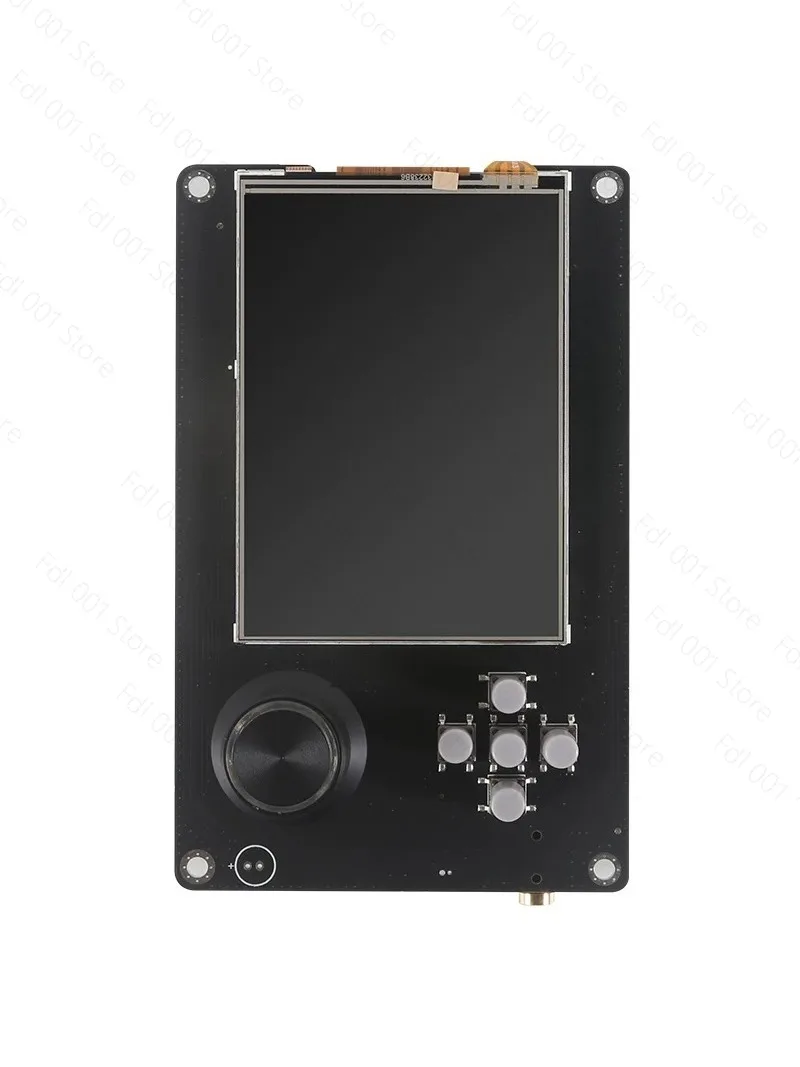
PortaPack H2 + HackRF One listing
Reading titlesThe title names a complete radio kit, but the wording also mentions the screen and aluminum case, and the price is low for a full kit. It may only be the screen and case. Read the full listing and every variant before deciding.
Listing: PORTAPACK H2 + HACKRF One Control SDR Radio H2 Screen and Aluminum Case
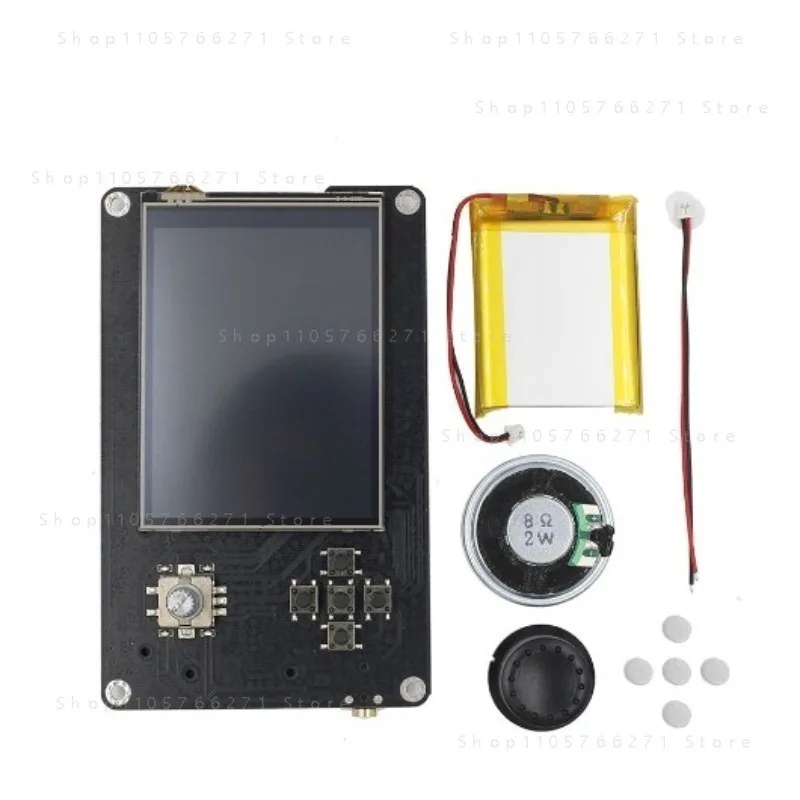
H2 HackRF One SDR listing
Comparing listingsA listing for a similar-sounding product at a noticeably different price. Comparing the two side by side, including the contents list, is a good way to see what each one actually includes.
Listing: H2 Hackrf One SDR Software Defined Radio 1MHz-6GHz